

When you’re pitching to a potential client, your proposal needs to make a strong impression. It has to explain what you’ll do, show why it matters and look professional.
That’s a lot to pull together when you’re working to a tight deadline. SEO proposal templates and builders can help, but which ones produce something you’d feel confident sending to a client?
I tried the available options… Then I built my own.
Here are my five favourite SEO proposal templates and builders.
Quick comparison table
| Template/Tool | SEO Specific | Account Required | Editing difficulty | Cost | Download |
|---|---|---|---|---|---|
 RevPages RevPages | Yes | No | Easy | Free | Instant PDF |
| Better Proposals | No | Yes | Moderate | $19/m + | PDF after signup |
| SE Ranking | Yes | No | Manual | Free | PDF + Gdocs |
| Inspace | Yes | No | Manual | Free | N/A |
| Proposify | No | Yes | Moderate | $19/m + | PDF after signup |
What frustrates me about most SEO proposal templates 😤
RevPages
Best for: Best for good-looking detailed SEO proposals without signup or design work
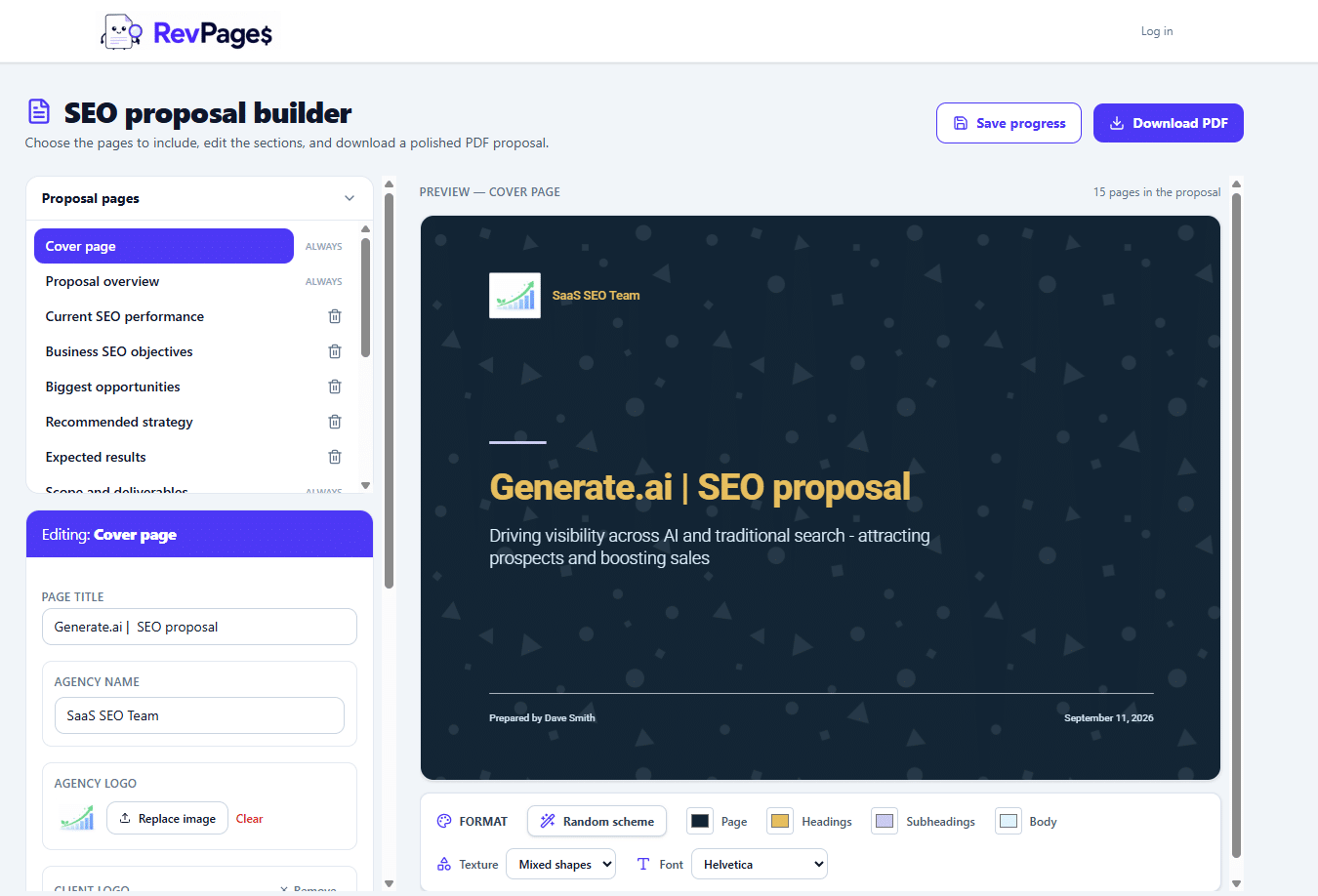
The RevPages SEO proposal template is a builder tool that provides agencies and freelancers with the quickest and easiest way of producing polished proposals – For free.
I built it after becoming frustrated with the other SEO proposal templates out there.
There’s no login required, editing is easy and all of the content is built around SEO deliverables and outcomes.
Ease of access
You can start editing immediately, without creating an account, entering payment details or starting a trial. The builder runs in your browser, so there’s nothing to install.
SEO specific content
This is where RevPages is strongest. I built it specifically for SEO agencies and freelancers, with pre-written content covering all aspects of SEO from keyword research to link building – and all available page templates are built with SEO projects in mind.
It gives you a substantial SEO-specific starting point, which you can tailor to your services and the client’s needs.
Edit and design
You edit the proposal through straightforward fields, without having to position text boxes or design each page yourself. You can customize the content, colours, upload images and tailor to your agency branding, while the builder handles the layout.
This makes it easy to turn your information into a professional-looking proposal without spending hours on formatting.
Downloading
Once you’ve finished editing, you can download your proposal instantly as a PDF, ready to send to the client. There’s no signup or payment required to export it. You can however, create a free account to save your progress, where you can store up to 10 proposals.
Sending, tracking and signing
You download the finished PDF and send it through your preferred email or file-sharing service. You can also upload it to a separate electronic signing platform if you want the client to sign it online.
Cost
The proposal builder is completely free to use, including editing and PDF downloads. You don’t need a paid RevPages subscription to use it.
Where it falls short
RevPages offers less design freedom than the paid platforms and exports proposals as PDFs only. There’s also no built-in tracking, automated follow-up or online signing, so you’ll need separate tools if those features matter to you.
Better Proposals
Best for sharing, tracking and signing proposals online.
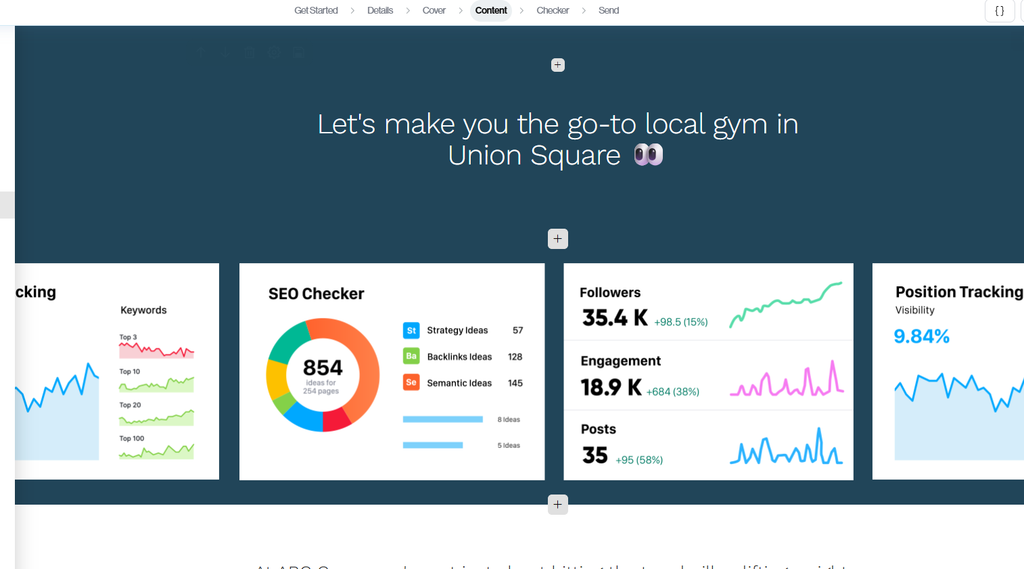
Better Proposals is one of the big names in proposal software, with plenty of great features, although you may not need all of them. I found it a bit fiddly to use, and the SEO content was basic at best, leaving plenty of writing and design work before the proposal was ready to send.
Ease of access
You need to sign up for a free 14-day trial before you can edit the template – which takes a while but the trial lets you explore the entire platform before paying.
SEO specific content
The SEO template provides a very basic starting structure. In my testing though, the content lacked the pages and content I’d want in a client-ready SEO proposal. Expect to spend a lot of time adding and customizing the pages you need.
Edit and design
Better Proposals gives you full control over the presentation, so you can totally customize the layout and design – and the slides look great. HoweverI found that getting it looking the way I wanted took quite a bit of work, particularly when expanding the pre-supplied content. It feels a little bit like the WordPress blocks editor – which in my opinion is a bit overkill for creating a proposal
Downloading
Better Proposals is built around sharing an online proposal, with PDF downloading available if you want a separate copy.
Sending, tracking and signing
This is its main strength. You can send a proposal link, track client engagement and collect an electronic signature within the platform. It brings the proposal and approval process together, which is useful if you regularly send proposals and want to manage follow-ups more efficiently.
Cost
There’s a free 14-day trial, followed by a paid subscription starting at $19/month.
Where it falls short
The supplied SEO content needs substantial tailoring, and the designer takes some getting used to. If you mainly want a detailed SEO proposal to edit and download quickly, the writing, formatting and subscription cost may outweigh the benefits here.
SE Ranking
Best for a free SEO proposal document to adapt.
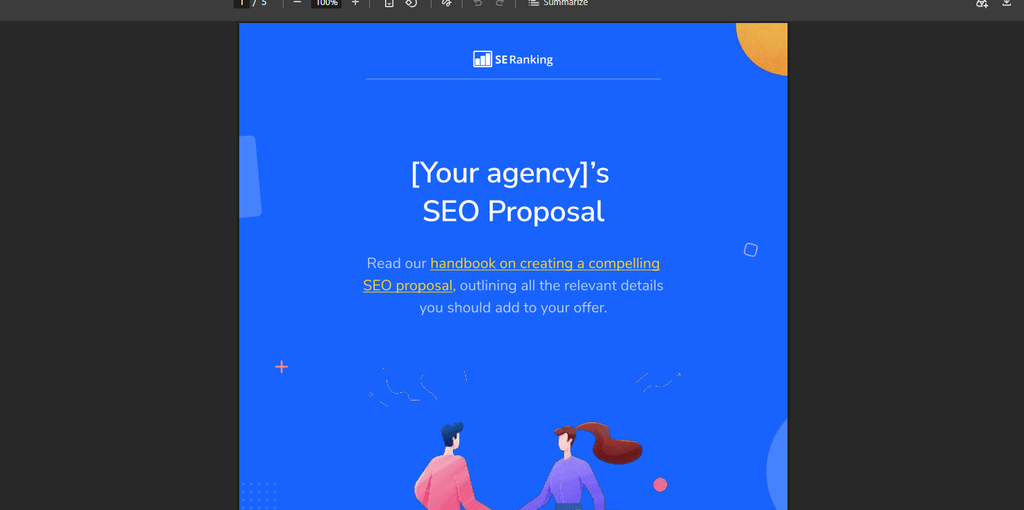
SE Ranking offers a free SEO proposal template in PDF and Google Docs formats. The PDF looks professional, while the Google Doc is easier to edit, but neither quite combines the polished design and flexibility I’d want.
Ease of access
Both versions are free to access, so you can get the template without committing to a paid proposal platform.
SEO specific content
There’s useful SEO-specific content to get you started. However, in my opinion, it’s missing several important sections you’d need for a thorough proposal. You’ll still need to expand it to explain your recommendations and services properly.
Edit and design
The PDF looks good, but it isn’t editable. Even with a PDF editor, changing the layout or adding content would take some work.
The Google Docs version is editable, but it’s essentially a plain-text document. You can easily change the wording and add sections, although creating a more polished design is down to you.
Downloading
You can download the PDF straight away or make a copy of the Google Doc to customise. Once edited, the Google Doc can also be exported as a PDF.
Sending, tracking and signing
These are standalone templates, so you send the finished proposal yourself. The Google Doc can potentially be shared directly with your client.
Cost
Both templates are free.
Where it falls short
You have to choose between a polished PDF that you can’t easily change and an editable document that needs design work. The SEO content also needs expanding, and there’s no built-in proposal tracking or signing.
Inspace
Best for guidance on building your own SEO proposal.
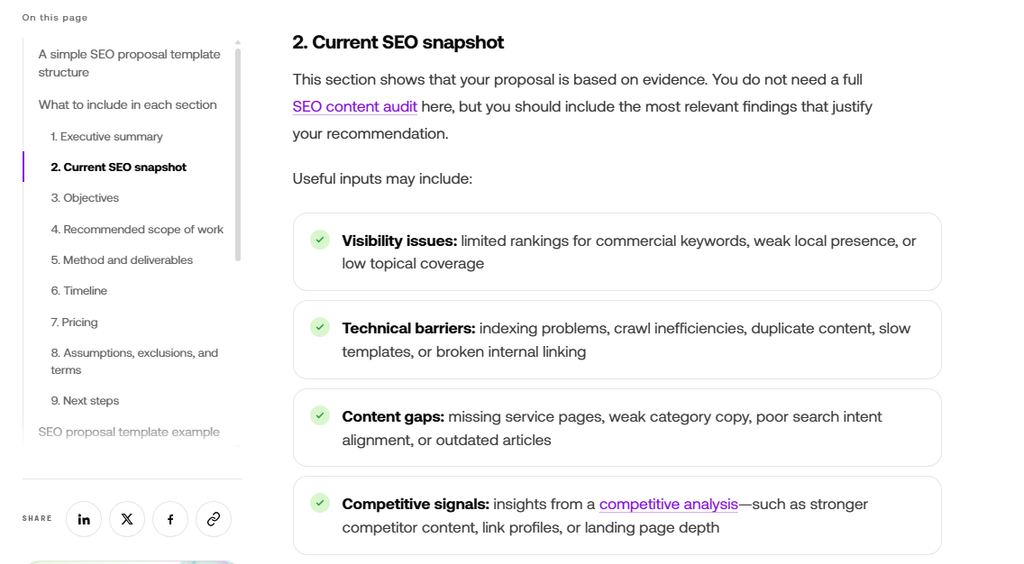
Inspace is more of a guide than a ready-made template, but it earns its place here for the depth of its SEO content. It’s a useful starting point if you want to build your own proposal on another platform.
Ease of access
You can read the guide straight away on the website, without signing up.
SEO specific content
Written by a marketing CEO, the guide’s strongest feature is its detailed SEO content. It explains how to structure your proposal and what to include in each section, from the client’s current SEO position to scope, deliverables, pricing and next steps. It also covers assumptions and exclusions, which are easy to overlook.
Edit and design
You’ll need to build the document yourself in your preferred editor.
Downloading
There’s no downloadable proposal document. You use the article as a reference while creating your own.
Sending, tracking and signing
These depend on the platform you choose to create and send your proposal.
Cost
The guide is free to read.
Where it falls short
All the writing, formatting and design are down to you. It’s helpful for planning a thorough proposal, but less useful if you need something ready to edit and send quickly.
Proposify
Best for custom designs and team proposal management.
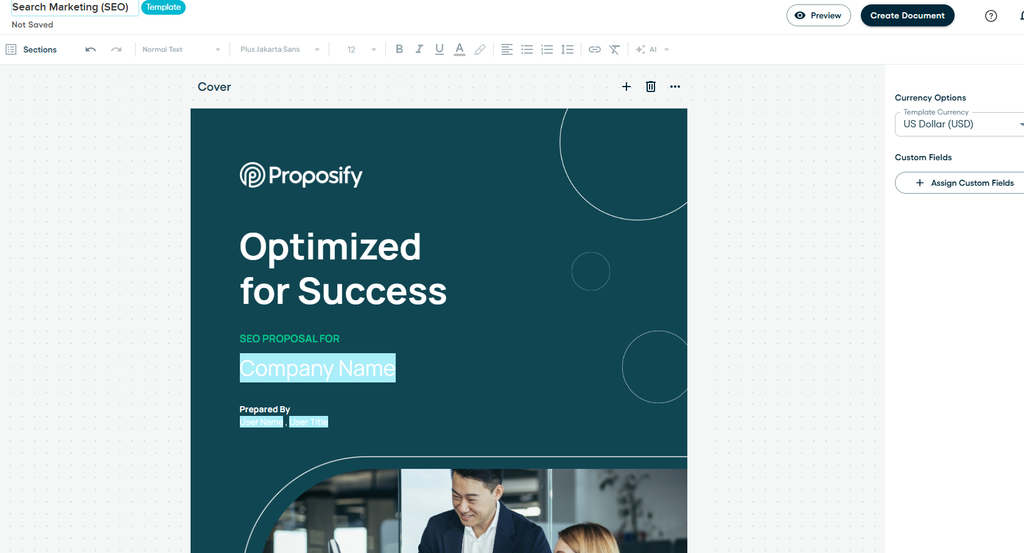
Proposify is another big proposal platform, with plenty of control over your document and what happens after you send it. I found the editor hard to get to grips with, though, particularly when adding pages to expand the SEO template.
Ease of access
You need to create an account and start a 14-day free trial to edit the template – which takes longer than expected.
SEO specific content
The supplied template mentions a few basic SEO phrases but it’s not really an SEO proposal template – it’s a generic proposal. You have to create your own SEO pages and content, and there aren’t any options to add SEO-specific slides.
Edit and design
The drag-and-drop editor gives you considerable control over the layout. You can move elements around and customise the design to suit your brand.
That freedom takes some practice to use well. I found adding new pages particularly difficult, and it was easy to disturb the layout while making changes.
Downloading
You can download a PDF copy or share the proposal online. The online version lets you use the platform’s tracking and signing features.
Sending, tracking and signing
This is where Proposify becomes more appealing. Electronic signatures, engagement tracking and automated reminders help you manage proposals after sending them. Content libraries, approval workflows and CRM integrations can also be useful for teams sending proposals regularly.
Cost
Proposify requires a minimum paid subscription of $19/month. Its value depends on how much you’ll use the proposal management features alongside the editor.
Where it falls short
The editor gives you freedom, but adding SEO content and keeping the design tidy can take considerable work. Combined with the subscription cost, that makes it harder to justify if you mainly want a detailed SEO proposal you can put together quickly.
Which SEO proposal template should you choose?
The best option depends on how much help you need creating the proposal and what you want to happen after you send it.
If you want a good-looking detailed SEO proposal you can edit and download without spending too much time on design, RevPages is a good starting point. It’s free, requires no signup and handles the formatting for you.
If online signing, engagement tracking and managing multiple proposals matter more, Better Proposals or Proposify may justify the subscription and learning time.
SE Ranking gives you a free document to work from, while Inspace is useful if you want guidance on building your own proposal.
Whichever you choose, tailor it to the client. A polished template helps, but clear recommendations, specific deliverables and a convincing explanation of why the work matters are what make the proposal worth reading.